Finding the Right Molded Plastic Is Harder Than It Should Be
Find the right molded plastic texture faster with Greyscalegorilla’s free cheat sheet and real-world materials, available directly in Cargo.
If you've ever worked on a product render, you know the moment. The client asks for a very specific plastic texture: faux leather, stipple, some pattern they can point to but can't quite describe. It's a texture we've all seen a hundred times on real products, but naming the subtleties of it is another story.
Finding the right match can take forever. Building it from scratch takes even longer.
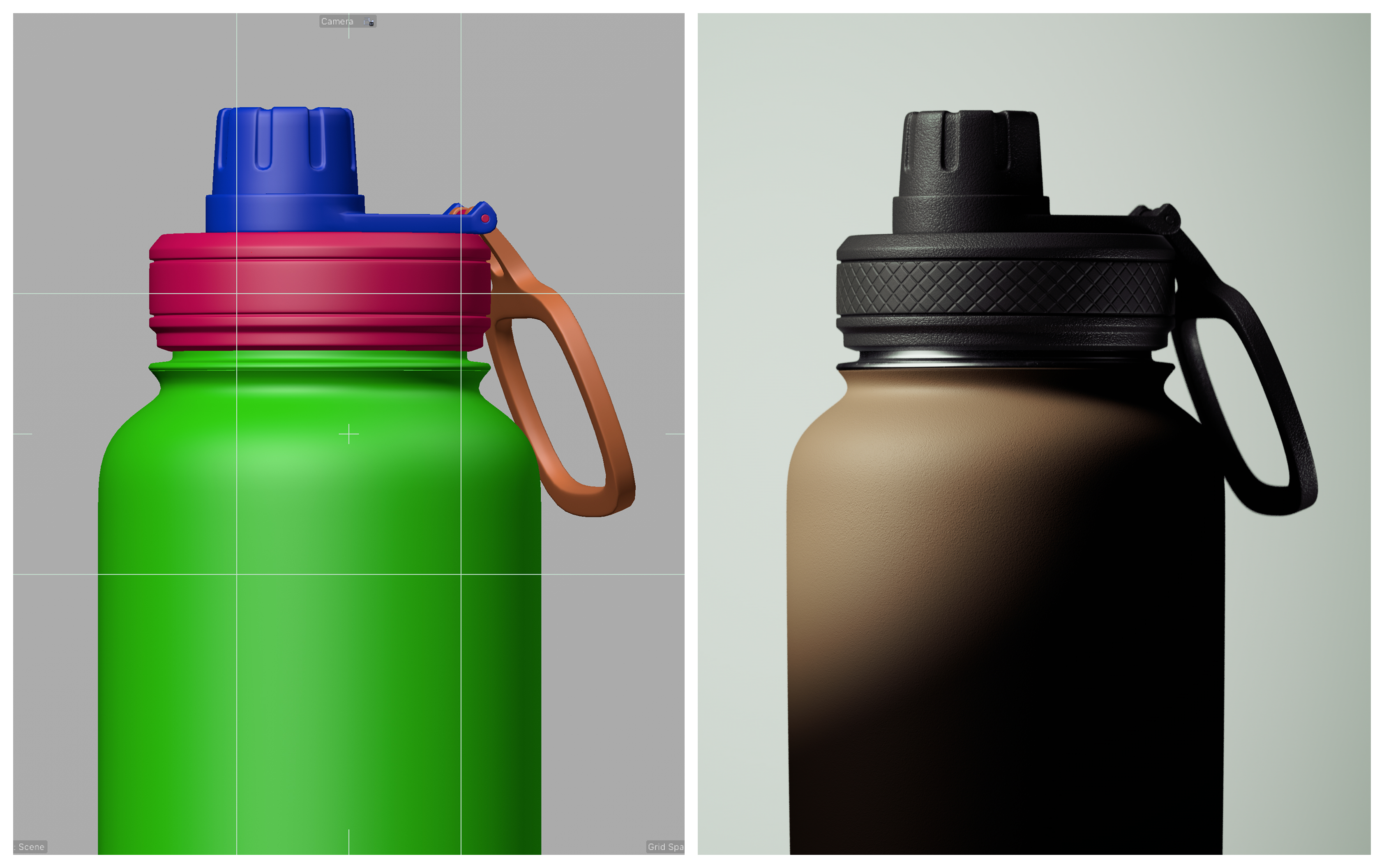
So we built the largest library of real-world molded plastic materials
We wanted to make product rendering easier, so we put together what we believe is one of the largest libraries of molded plastic materials available anywhere, all based on actual patterns found in everyday products. Not invented textures. Real ones.
These materials are simple by design. Each one is a standard surface material paired with a patterned normal map pulled from a real molded plastic surface. The color is completely up to you. Make it subsurface or not, black, white, whatever the render needs. The pattern does the work, and everything else stays flexible.
They're built to be a workhorse for product rendering. You bring the color and finish, the material brings the texture.
These materials are part of the Greyscalegorilla subscription, and you download and use them right inside Cargo. That gives you access to thousands of assets for product rendering and beyond, compatible with every 3D app Cargo supports: Cinema 4D, Blender, Unreal Engine, Houdini, Maya, and 3ds Max. The molded plastics are just one corner of it.
The problem: you can't see the pattern on a shader ball
Here's the catch. These patterns are subtle, and subtle patterns are nearly impossible to judge on a shader ball. When you're doing product rendering, you need to actually see what that tiny texture looks like up close before you commit to it. A shader ball just doesn't show you that.

The fix: a cheat sheet you can keep on your desktop
So we made a simple PDF cheat sheet covering every molded plastic material in the set. Keep it on your desktop and pull it up the next time you're rendering a product.
Download the Molded Plastics Cheat Sheet (PDF)
Each entry shows a close-up of the normal map, so you can check the pattern and fidelity at a glance. Find the one that matches what you're picturing, then search Cargo for that exact material and drop it in.
No more guessing from a shader ball. No more building a pattern from scratch when the real thing already exists.
Try it for free
If you're not on Greyscalegorilla yet, download Cargo for free and see the molded plastics library for yourself, along with thousands of other assets built for product rendering. Grab the cheat sheet, browse the library, and see what it saves you on your next render.